
In the vast and visually-driven world of the internet, images are king. They break up text, illustrate complex points, and capture a user's attention in a way that words alone often cannot. But what happens when those images can't be seen? Whether it's due to a slow connection, a broken image link, or a user with a visual impairment relying on a screen reader, a crucial piece of your content can suddenly become a blank, meaningless space. This is where image alt text comes in. It's a small piece of code with a monumental impact, acting as a bridge between your visual content and users and search engines who cannot see it. While it might seem like a minor detail in the grand scheme of website management, mastering image alt text is a fundamental skill that significantly boosts both your site's accessibility and its search engine optimization (SEO) performance. Understanding the connection between image alt text seo is not just a best practice; it's a necessity for any modern digital strategy. This comprehensive guide will walk you through everything you need to know, from the basic definition of alt text to advanced strategies for writing it, ensuring your website is more inclusive, understandable, and visible in search results.
What Exactly is Image Alt Text?
At its core, image alt text (or alternative text) is a written description of an image that is embedded within the HTML code of a webpage. Its primary purpose is to be read aloud by screen readers for users who are visually impaired, providing them with the context and information conveyed by the image. It also displays in place of an image if the image file cannot be loaded by a user's browser. You won't typically see the alt text displayed on the page itself unless the image fails to render.
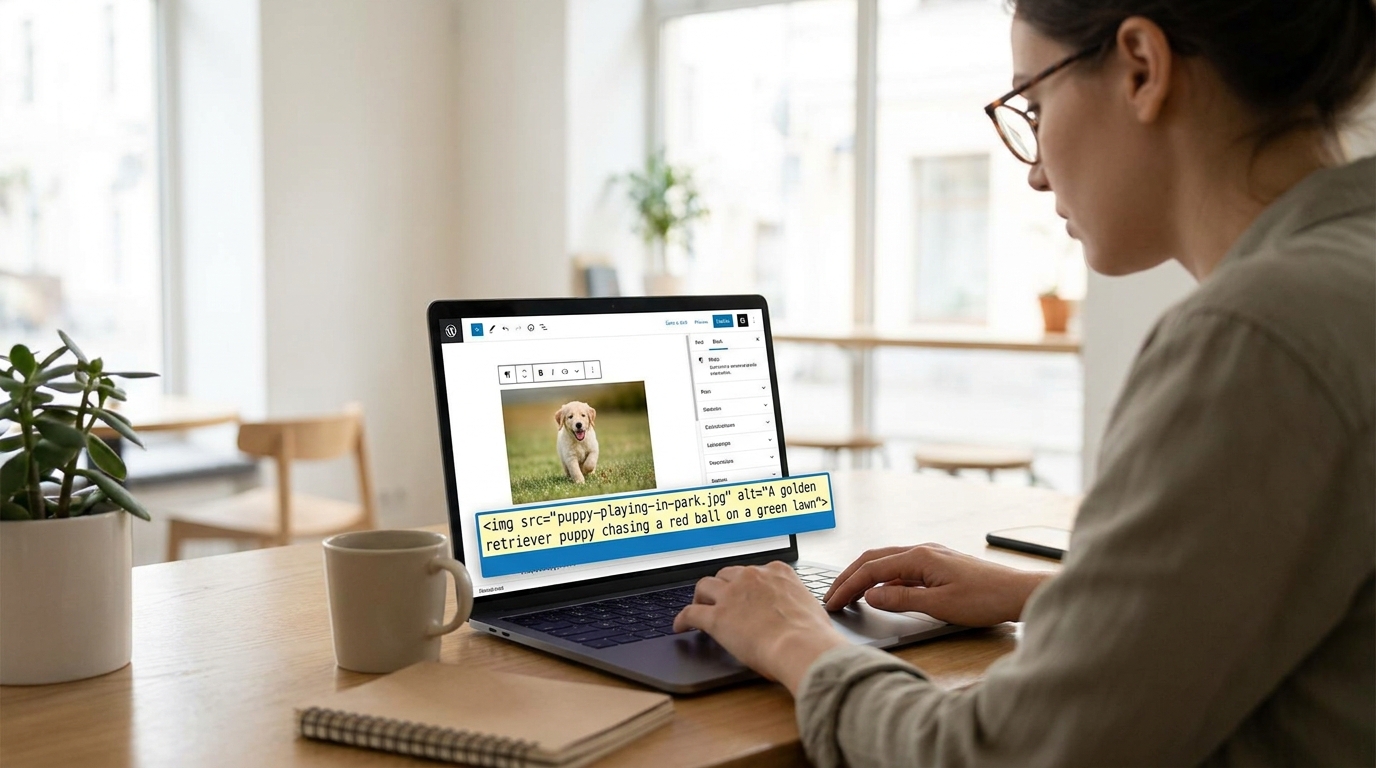
In the backend code of your website, it looks like this:
<img src="puppy-playing-in-park.jpg" alt="A golden retriever puppy chasing a red ball on a green lawn">
The alt="..." attribute is where the magic happens. Without this attribute, a screen reader might only announce "image" or read out the often unhelpful file name, leaving the user with no understanding of what the image represents.
Alt Text vs. Title Text vs. File Names
It's common for beginners to confuse alt text with other image-related attributes. Let's clarify the differences, as each serves a distinct purpose:
- Image Alt Text: As we've discussed, this is for accessibility and SEO. It describes the image's content and context for those who cannot see it. It is the most critical attribute for both users and search engines.
- Image Title Text: This attribute provides additional, non-essential information about an image. It usually appears as a small tooltip when a user hovers their mouse over the image. While it can add a layer of interactivity, it is not read by screen readers and carries very little to no weight for SEO. It should not be used as a substitute for alt text.
- Image File Name: This is the name of the actual image file you upload (e.g.,
best-hiking-boots-men.jpg). Using descriptive, keyword-rich file names is another important aspect of image SEO, as it gives search engines an initial clue about the image's content before they even process the alt text. A good file name supports your alt text, but it doesn't replace it.
Understanding these distinctions is the first step. The alt text is the non-negotiable element for creating a webpage that is both accessible to all users and fully optimized for search engine crawlers.
The Dual Purpose of Alt Text: Accessibility and SEO
The beauty of well-written image alt text lies in its dual benefit. It simultaneously serves two critical functions: making the web more accessible for everyone and providing powerful signals to search engines. While these two goals are distinct, they are deeply interconnected, and excelling at one often means you're doing well with the other.
Accessibility: The Primary and Most Important Role
First and foremost, alt text is an accessibility feature. The World Wide Web Consortium (W3C), the main international standards organization for the Internet, emphasizes its importance in their Web Content Accessibility Guidelines (WCAG). For millions of people worldwide who use screen-reading software to browse the internet, the web is a largely auditory experience. Images without alt text are functional black holes, creating gaps in understanding and a frustrating user experience.
Imagine reading an article about baking bread, and it says, "Your dough should look like this," followed by a silent, undescribed image. For a sighted user, the image provides critical information. For a user with a screen reader, it's a dead end. However, with descriptive alt text like, "Smooth, elastic bread dough formed into a round ball in a lightly oiled bowl," the gap is filled. The user receives the same valuable information as their sighted counterparts. Prioritizing accessibility isn't just about compliance or ethics; it's about creating a better, more inclusive experience for all potential visitors to your site.
Why It Matters for Image Alt Text SEO
While search engine technology has made incredible leaps, crawlers like Googlebot are still fundamentally text-based. They cannot "see" an image and understand its content, context, or purpose in the same way a human can. They rely on the textual information surrounding the image to make sense of it, and the most direct and powerful piece of information is the image's alt text.
This is where the direct link to image alt text seo becomes clear. By providing descriptive, accurate alt text, you are essentially spoon-feeding search engines with information about your visual content. This has several key SEO benefits:
- Image Search Rankings: Google Images is a massive search engine in its own right and a significant source of website traffic. Alt text is one of the most important ranking factors for getting your images to appear in these results. When someone searches for "red mid-century modern armchair," Google looks for images with alt text that matches that description.
- Contextual Relevance for the Page: Search engines don't just analyze the image in isolation. They use the alt text to better understand the topic of the entire page. If your article is about "eco-friendly dog toys" and you have images with alt text describing "a dog chewing on a rope toy made from recycled cotton," it reinforces the page's topic, signaling to Google that your content is a relevant and comprehensive resource.
- Improved User Experience Signals: Google pays close attention to user experience (UX) metrics. A website that is accessible is inherently a website with a better UX. By providing a better experience for users with disabilities, and for all users when images break, you are creating a higher-quality site, which Google aims to reward.
How to Write Effective and SEO-Optimized Alt Text
Knowing why alt text is important is one thing; writing it effectively is another. The goal is to find the sweet spot between being descriptive for accessibility and being concise and keyword-aware for SEO. It's a craft that's easy to learn. Here are the essential best practices to follow.
- Be Specific and Descriptive: Vague alt text is unhelpful. Think about how you would describe the image to someone over the phone.
- Bad:
alt="man working" - Good:
alt="A man with glasses sitting at a wooden desk typing on a laptop"
- Bad:
- Keep it Concise: While you want to be descriptive, you don't need to write a novel. Most screen readers stop reading alt text after about 125 characters, so this is a good guideline to aim for. Get straight to the most important points of the image.
- Use Your Target Keyword (Naturally): This is a key aspect of image alt text seo. If it makes sense and accurately describes the image, include your page's primary or a secondary keyword. This helps connect your image directly to your main topic.
- Page Topic: Best running shoes for flat feet
- Image: A picture of a specific shoe model.
- Good Alt Text:
alt="A pair of Brooks Adrenaline GTS 22 running shoes for flat feet, showing the GuideRails support system"
- Avoid Keyword Stuffing: This is the cardinal sin of alt text. Do not cram your alt text with keywords. It creates a terrible experience for screen reader users and is a spammy signal that search engines have been penalizing for years.
- Bad (Keyword Stuffing):
alt="running shoe best running shoe buy running shoe cheap running shoe for flat feet"
- Bad (Keyword Stuffing):
- Don't Start with "Image of..." or "Picture of...": This is redundant and wastes valuable character space. The HTML
<img>tag already tells the browser and screen reader that it's an image. Get straight to the description.- Bad:
alt="A picture of a cat sleeping on a windowsill" - Good:
alt="A fluffy orange cat sleeping in a patch of sunlight on a white windowsill"
- Bad:
- Write for Humans First: This is the golden rule that encompasses all the others. If your alt text is helpful, descriptive, and makes sense to a human reader, it will almost always be good for SEO. Never sacrifice clarity for a perceived SEO gain.
Advanced Alt Text Scenarios and What to Do
Not all images are created equal. While a simple product shot or blog post photo is straightforward, you'll inevitably encounter more complex situations. Here’s how to handle them correctly.
Decorative Images
Some images serve a purely aesthetic purpose. Think of background patterns, swooshes of color, or stylistic border lines. They don't convey any information and are there just for design. In these cases, describing them would be distracting and annoying for a screen reader user. The correct approach is to use an empty alt attribute:
<img src="blue-background-swirl.png" alt="">
This is different from omitting the alt attribute entirely. An empty alt="" tells the screen reader to purposefully skip the image. If you omit the attribute, some screen readers will try to compensate by reading the long, nonsensical file name, which is a much worse experience.
Complex Images: Charts, Graphs, and Infographics
Images that contain a lot of data, like charts or infographics, present a unique challenge. You cannot possibly fit all the information into a 125-character alt text. The best practice here is a two-pronged approach:
- Use the Alt Text for a Summary: The alt text should provide a high-level summary of what the image shows. For example:
alt="Bar chart showing website traffic growth from 2021 to 2023, with organic search being the largest driver each year." - Provide a Full Description in the Text: Immediately before or after the image, include a full textual description of the data. You can present it as a data table or a detailed paragraph. This ensures that all users have access to the same detailed information, and it also provides more indexable content for search engines.
Images Used as Links
When an image is wrapped in a link tag (<a href="...">), the function of the alt text changes. Instead of describing what the image is, it should describe what the link does or where it goes. It essentially acts as the anchor text for the link.
- Bad (for a company logo linking to the homepage):
alt="Company logo" - Good:
alt="BrandName Inc. homepage" - Bad (for a "Buy Now" button image):
alt="Green button" - Good:
alt="Buy the new SuperWidget now"
Finding and Fixing Missing or Bad Alt Text on Your Website
Now that you know how to write great alt text, the next step is to perform an audit of your own website. You may have hundreds or thousands of images, so this process needs to be systematic.
Manual Spot Checks
For a quick check, you can use your browser's built-in developer tools. Simply right-click on any image on your site and select "Inspect" or "Inspect Element." This will open a panel showing you the site's HTML code, with the line for that specific image highlighted. You can easily see if the alt attribute is missing or if the text within it is unhelpful.
Using SEO Audit Tools
For a comprehensive site-wide audit, a manual check isn't feasible. This is where SEO crawling tools are indispensable. Tools like Screaming Frog SEO Spider, Ahrefs' Site Audit, or SEMrush's Site Audit can crawl your entire website and generate a report that specifically flags all images that are missing alt text. These reports will give you a complete list of URLs, allowing you to create a prioritized to-do list.
How to Prioritize Your Fixes
If you have a large site with many issues, don't get overwhelmed. Prioritize your efforts for maximum impact:
- Start with your most important pages: Focus on your homepage, key service or product pages, and your highest-traffic blog posts. These pages have the most visibility and offer the biggest potential return on your efforts.
- Address images on pages ranking for key terms: Look at pages that are already ranking on page one or two of Google for valuable keywords. Improving the image alt text seo on these pages can provide the small boost needed to climb higher.
- Tackle e-commerce product pages: For online stores, descriptive alt text is non-negotiable. It's crucial for both SEO and for helping visually impaired customers understand what they are buying.
Most modern Content Management Systems (CMS) like WordPress, Shopify, or Squarespace make this easy. When you upload an image to their media library, there is always a dedicated field for "Alternative Text." Make it a habit to fill this out for every single image you upload from this day forward.
The Bigger Picture: How Image Alt Text Fits into Your Overall SEO Strategy
It's important to view image alt text not as an isolated task, but as an integral component of a holistic SEO and digital marketing strategy. Optimizing this one small element creates ripple effects that benefit your entire online presence. It is a foundational piece of technical and on-page SEO that supports broader goals.
Proper alt text contributes directly to:
- Stronger On-Page SEO: Every optimized image on a page acts as another signal to search engines, reinforcing the page's topical relevance. A page about "interior design trends" filled with images described as "a living room with biophilic design elements" or "a kitchen with curved cabinetry and earth-toned tiles" is far more powerful than one with generic or missing alt text.
- Enhanced User Experience (UX): Good UX is a known, if indirect, ranking factor. By ensuring your site is accessible, you're providing a superior experience for a segment of the population. Furthermore, for all users, alt text that displays when an image breaks prevents confusion and frustration, reducing bounce rates and encouraging longer time on page—both positive UX signals.
- Building Topical Authority: Search engines want to rank experts. When your entire website consistently uses detailed, relevant, and helpful alt text across hundreds of images related to your niche, you are building a deep well of contextual information. This demonstrates your authority on a subject, which can lead to better rankings across the board.
- Driving Valuable Image Search Traffic: Don't underestimate the power of Google Images. For many industries—like recipes, fashion, travel, and e-commerce—users often begin their search visually. A well-optimized image can be a primary entry point to your website, bringing in highly engaged traffic that you might have otherwise missed. Excellent image alt text seo is your ticket to competing in this visual arena.
By treating every image as a valuable asset that needs a proper description, you are layering in signals of quality, relevance, and user-friendliness that search engines are specifically designed to reward.
Conclusion: A Small Detail with a Major Impact
In the complex and ever-evolving landscape of SEO, it’s easy to get lost chasing complicated algorithms and technical trends. Yet, some of the most impactful optimizations are the fundamentals we've known about for years. Image alt text is a perfect example of this. It's a simple HTML attribute that serves a profoundly important human purpose: to make visual content accessible to everyone. This commitment to accessibility is not just an ethical imperative; it is also the key to unlocking significant SEO benefits. By writing descriptive, concise, and contextually relevant alt text, you are providing a better experience for users with screen readers, creating a fallback for broken images, and giving search engines the precise information they need to understand and rank your content in both standard and image search results.
Let's recap the essentials. Remember to be descriptive but concise, aiming for under 125 characters. Weave in your target keywords naturally where they fit, but never resort to spammy keyword stuffing. Always write for a human audience first, and understand the different needs for decorative images, complex infographics, and images used as links. The journey to a fully optimized website begins with a single step. Make a commitment today to audit your key pages. Use an SEO tool to find missing alt text and start fixing it, prioritizing your most important content. Make it a non-negotiable part of your workflow for all new content. By dedicating a small amount of time to mastering image alt text seo, you'll be building a more inclusive, user-friendly, and powerful website that serves all of your audience and stands out to search engines.
More Tips For Website Improvement

2026
12Oct
A Guide to Competitor Keyword Analysis and Strategy
In the vast, ever-shifting landscape of search engine optimization, staying ahead of the curve is not just an advantage; it's a necessity. You can have the most well-designed website and the most compelling product, but if your target audience can't find you, your…

2026
09Oct
How to Create an Effective 2026 SEO Report and Template
The world of Search Engine Optimization is in a constant state of flux, and as we navigate deeper into 2026, the way we measure and communicate success has evolved dramatically. Gone are the days of flaunting simple keyword ranking lists or basic traffic graphs.…

2026
02Oct
White Label SEO, The Complete Guide to SEO Outsourcing
In today's hyper-competitive digital landscape, every business understands the critical need for online visibility. Search Engine Optimization (SEO) has evolved from a niche marketing tactic into a fundamental pillar of any successful business strategy. As a result,…


